The introduction of the SAF-T UA standard is one of the key stages in the digitalization of tax control in Ukraine. The new requirements call for a high level of accounting data quality, compliance of the reporting structure with the requirements of the State Tax Service, and companies’ ability to quickly generate an electronic file for audits.
For more than 17 years, SMART business has been implementing Microsoft Dynamics 365 Business Central (formerly Microsoft Dynamics NAV) and developing the Ukrainian localization of the system. The company has developed the SMART SAF-T UA solution to automate the preparation, generation, and submission of SAF-T UA files.
A real-life case of successful SAF-T UA submission to the State Tax Service
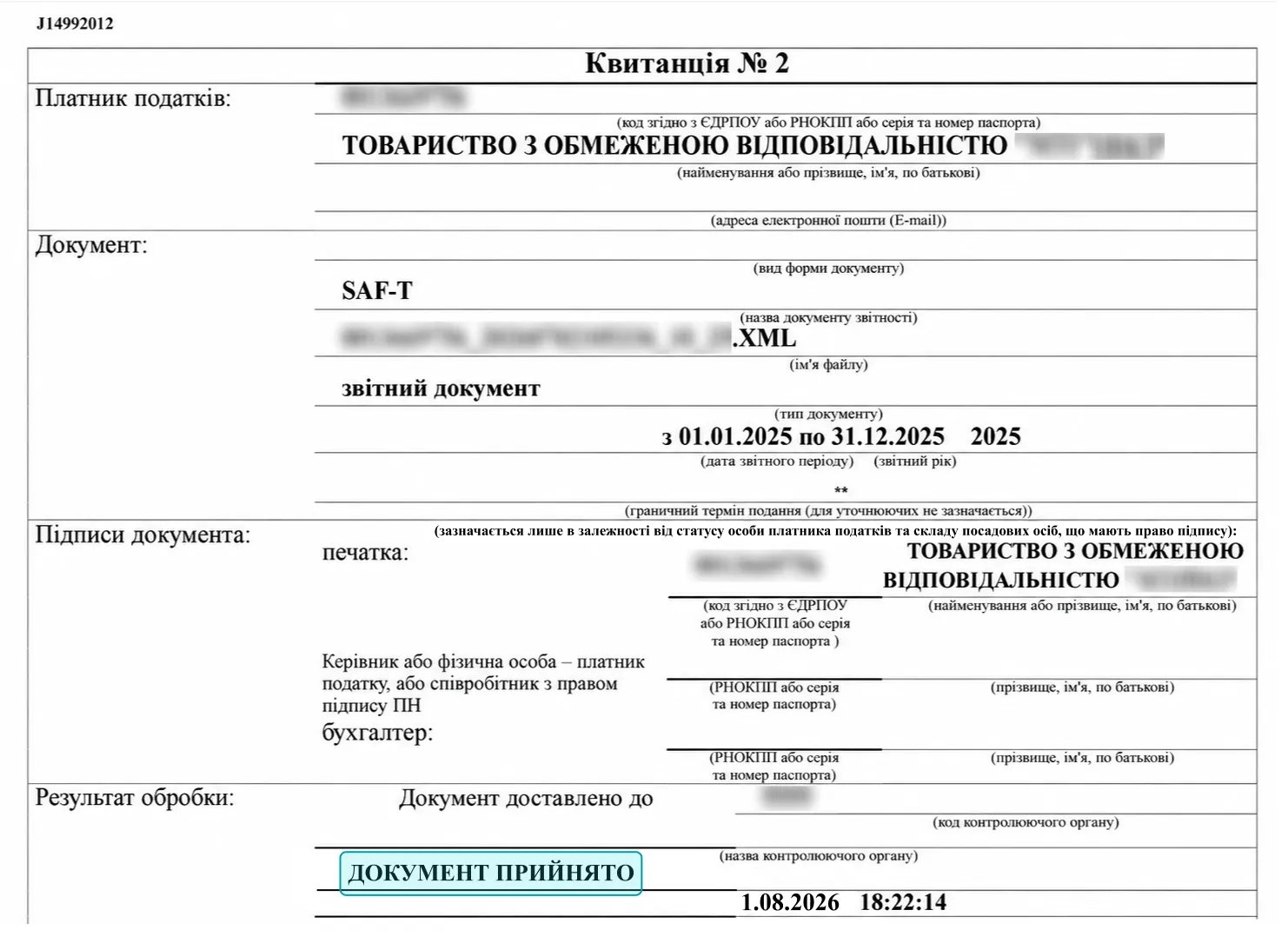
Recently, one of SMART business’s clients successfully submitted a SAF-T UA file to the State Tax Service as part of a real tax audit and received a positive acceptance receipt.
This case confirms that a file generated by the solution successfully passes the State Tax Service’s automated checks and can be used during actual tax audits.
Today, many companies are only testing the process of generating and submitting SAF-T UA files. At the same time, experience shows that requests from the State Tax Service to provide a file are already being issued as part of documentary tax audits. Once such a request is received, a company has two days to generate and submit the file in the required format along with other documents.
In the real-life case described above, the SMART business client had prepared and saved SAF-T UA files in advance by year and quarter. Therefore, after receiving the request from the State Tax Service, the company did not have to generate the file under tight time constraints: the required report was submitted in approximately five minutes, after which the client received a positive acceptance receipt. This example confirms that the file successfully passes the automated checks. During the subsequent audit, the tax authority’s focus is no longer on the file format but on the accuracy of the data contained in the accounting system.
Why companies should not delay preparing for SAF-T UA reporting
SMART business’s experience with its clients also points to another trend. Some companies postponed preparing for SAF-T UA, believing that the requirements would not become relevant in the near future. However, after receiving an official request from the State Tax Service during an audit, implementing a solution became a priority. In such cases, there is practically no time left for preparation.
According to the State Tax Service’s current guidance, failure to submit a SAF-T UA file, or submitting an incomplete file upon request from the tax authority, may result in penalties. At the same time, paying the penalty does not relieve the taxpayer of the obligation to submit the SAF-T UA file.
At present, the obligation to submit SAF-T UA files applies to large taxpayers. Starting in 2027, however, the SAF-T UA submission requirement will apply to all VAT payers. Therefore, it is advisable to start preparing for the new requirements in advance, so that companies can verify their accounting system’s readiness, test file generation, and eliminate any potential errors.
What the State Tax Service recommends for preparing to submit SAF-T UA
The State Tax Service recommends not waiting until a documentary tax audit begins, but checking your readiness to submit SAF-T UA in advance. To this end, companies can submit a test file through the taxpayer’s Electronic Cabinet. Based on the test results, the company receives information about technical errors or inconsistencies, which can be resolved before the file is actually submitted at the request of the tax authority.
The State Tax Service recommends that companies:
- check whether their accounting system is ready to generate a SAF-T UA file;
- ensure that the file structure complies with the current technical requirements;
- test the file in test mode and eliminate any potential technical errors;
- establish internal procedures for promptly responding to requests from the tax authority.
Detailed recommendations on generating, testing, and submitting the file, as well as practical examples and common errors, are available in the State Tax Service presentation materials:
Prepare for SAF-T UA with SMART business
The SMART SAF-T UA solution integrates with Microsoft Dynamics 365 Business Central and SMART Accounting for Ukraine and automates the process of generating files in accordance with the current State Tax Service requirements. This helps businesses reduce reporting preparation time, minimize technical risks, and be ready for tax audits.
SMART business already has successful cases of generating and submitting SAF-T UA files both in test mode and during real tax audits. The company continues to develop the solution in line with changes in legislation and the requirements of the State Tax Service of Ukraine.
We are ready to share our practical experience and tell you more about the implemented cases. Request a demo to learn more about the solution’s capabilities.