In today’s dynamic global markets, companies working with multiple currencies need highly accurate and up-to-date data to ensure correct financial accounting and reporting. However, manually updating exchange rates or relying on custom integrations in Microsoft Dynamics 365 Business Central can consume excessive finance team resources and increase the risk of delays or errors in data entry.
To address this challenge, SMART business has developed the SMART FX Rates module, which automates the import and management of exchange rates in Microsoft Dynamics 365 Business Central. The solution integrates with external data providers and supports importing rates from verified sources.
SMART FX Rates functionality: what tasks the solution solves
SMART FX Rates provides seamless integration with external data providers and supports importing rates directly from sources offering open APIs — such as the European Central Bank (ECB), OANDA, and other compatible providers. This ensures that companies have consistent, up-to-date exchange rate data throughout the system without the need for manual intervention.
Functionally, SMART FX Rates offers the following capabilities:
- Automatic import of exchange rates via open APIs
SMART FX Rates automatically retrieves exchange rates from verified external sources, eliminating the need for manual entry or file-based imports.
Example of SMART FX Rates setup: currency card
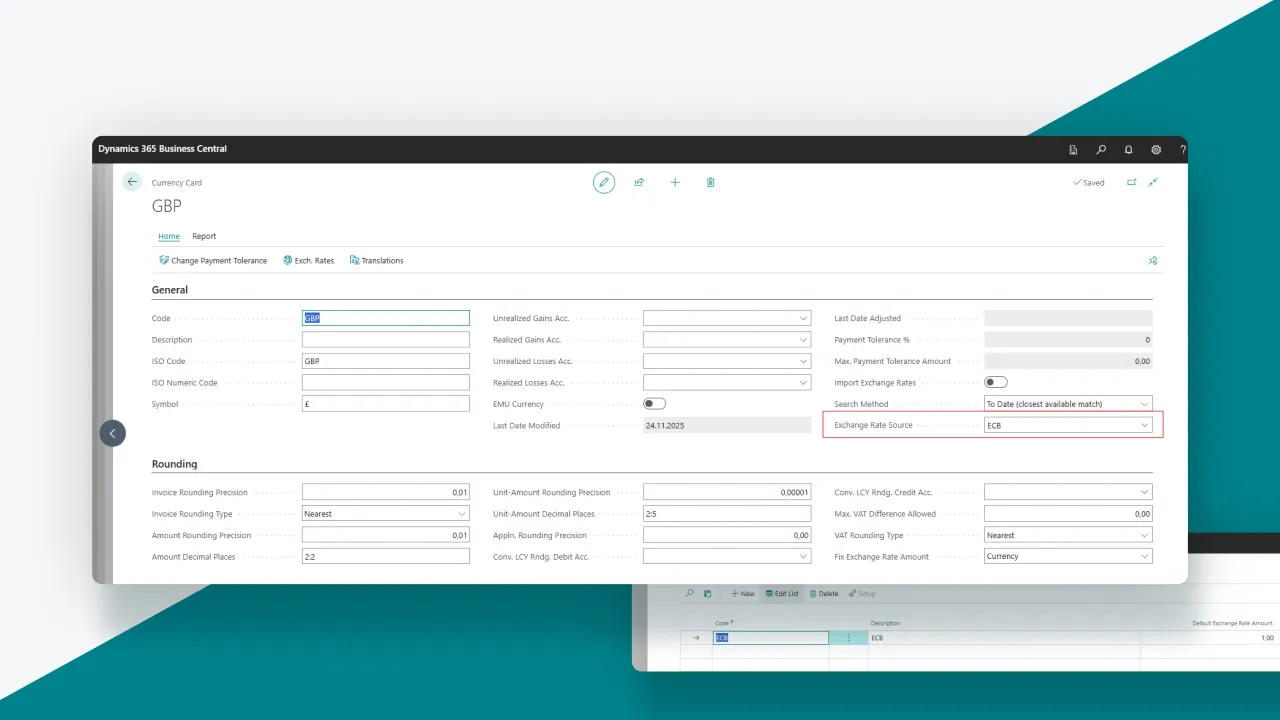
- Support for multiple data providers
The solution allows working with different sources of exchange rates and easily switching providers without redesigning business processes or integrations. - Daily exchange rate updates
The module supports regular (including daily) rate imports, which is critical for companies with multicurrency operations.
Example of SMART FX Rates setup: Currency Exchange Services
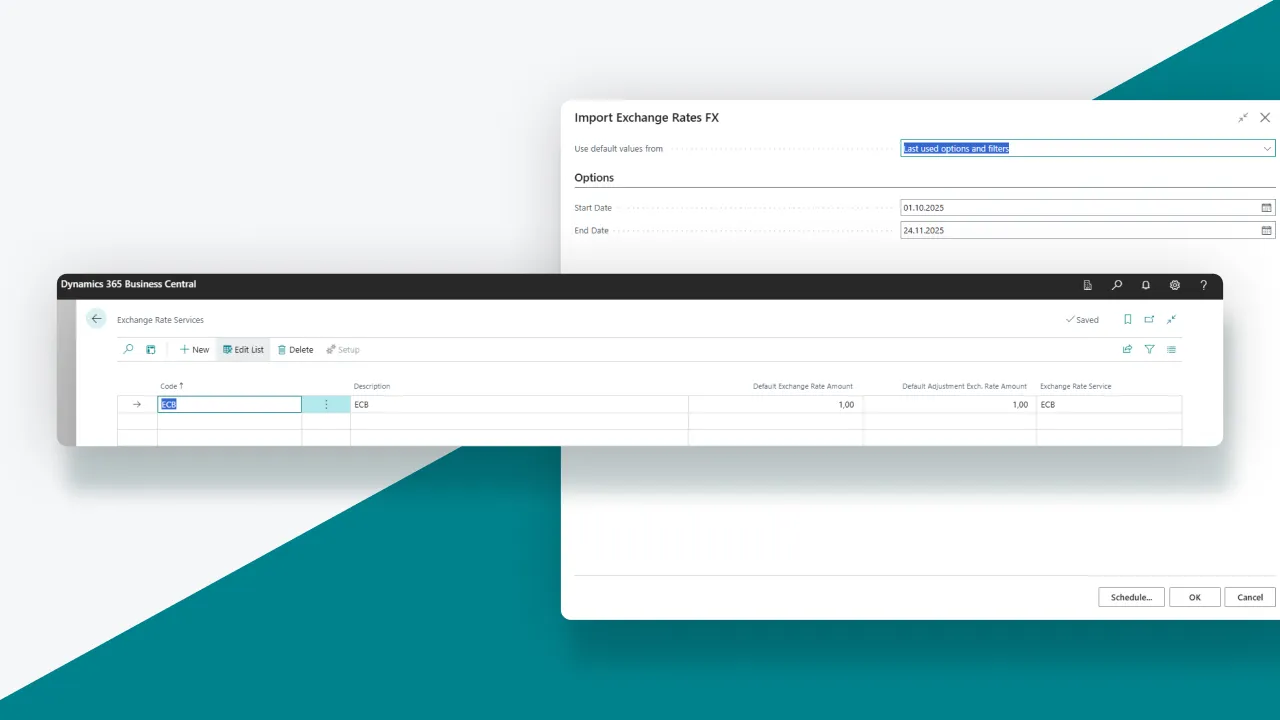
Easy setup directly in Business Central
All management parameters are available in the Microsoft Dynamics 365 Business Central interface: selecting the exchange rate source, configuring settings, and scheduling imports via the Job Queue.
- Full compatibility with Business Central’s currency logic
SMART FX Rates does not conflict with the standard currency functionality but complements it organically, maintaining system stability and predictability.
Example of SMART FX Rates setup: Import Scheduling
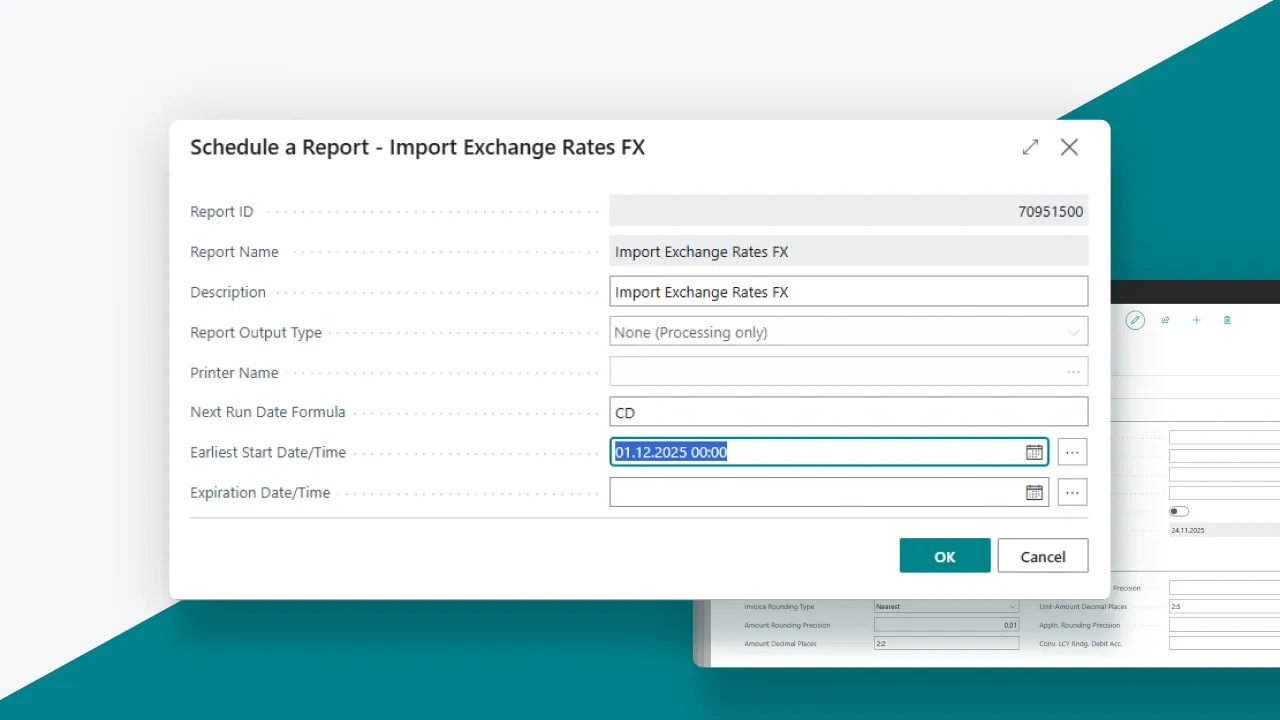
- Scheduled automatic reports
Exchange rates are updated according to a set schedule without user intervention, ensuring financial data is always up to date.
Example of SMART FX Rates setup: Report Imports
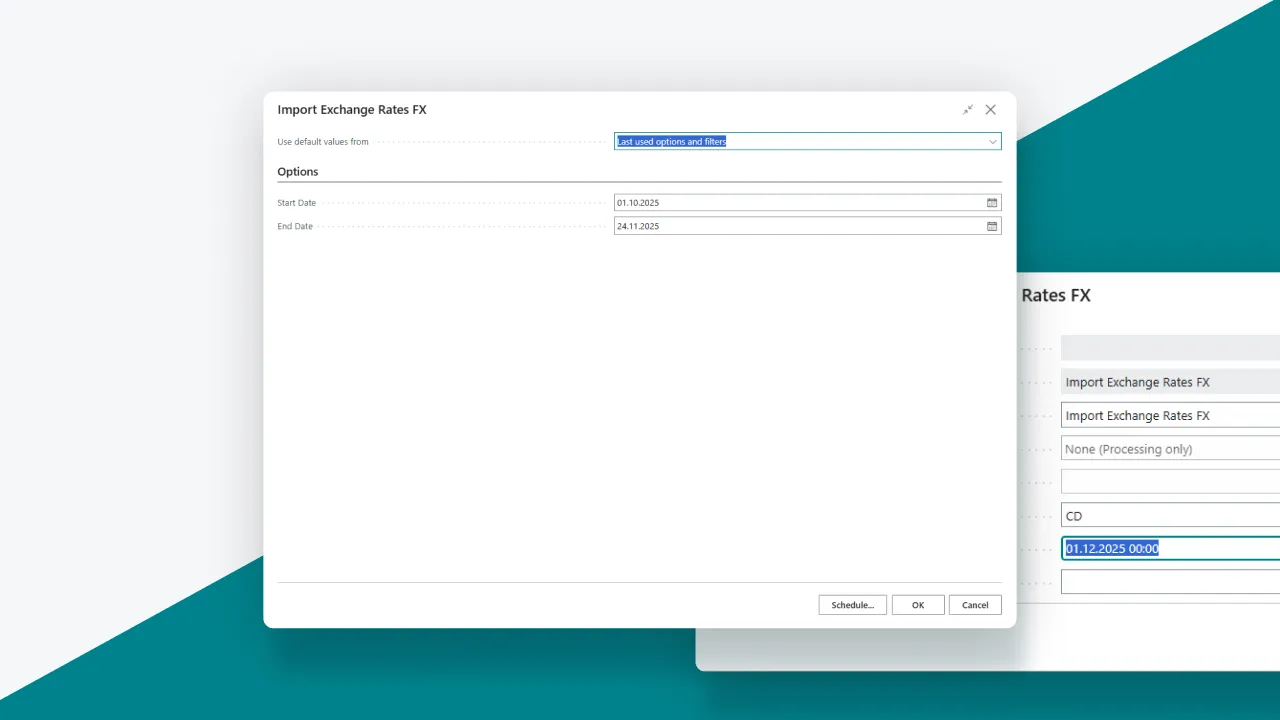
Data monitoring and validation
The solution verifies the accuracy of received rates, using only valid data within the system.
SMART FX Rates: who the solution is designed for
SMART FX Rates is designed for organizations operating in a multicurrency environment that use Microsoft Dynamics 365 Business Central as the foundation for financial accounting. The solution is particularly useful for organizations with regular currency operations, international suppliers, clients, or subsidiaries, where the accuracy and timeliness of exchange rates directly impact financial reporting and management decisions.
The product meets the needs of both finance teams (chief accountants, financial analysts) and technical staff — developers, system architects, and consultants — who are responsible for the stability, scalability, and standardized architecture of the company’s financial processes.
Therefore, if your company uses Microsoft Dynamics 365 Business Central, works with multiple currencies, and aims to ensure stable financial accounting in a dynamic market environment, SMART FX Rates will be a reliable tool to achieve this.
The software is already available on AppSource: Browse Apps | Microsoft Marketplace
Have additional questions? Request a consultation with our experts: