Transparency and comprehensibility of transactions relating to employee salaries is an important component of a successful business. However, as the company grows, the payroll process can become somewhat complex and resource-intensive. Moreover, the human factor often leads to errors, which entails the imposition of fines on the company.
Modern payroll software allows not only to simplify processes and avoid errors, but also provide companies with new opportunities and enable them to be as flexible as possible in payroll matters.
In this article, we will talk about the capabilities of SMART Payroll, as well as share interesting cases on payroll in the system. The article will be useful both for those who are looking for a system of accounting, accrual and payroll for the first time, and for those who want to change their existing solution.
“Still using Russian payroll software like 1C? Now is the perfect time to get rid of it! SMART business offers discounts on SMART Payroll that is fully adapted to Ukrainian legislation. For a personalized consultation, submit your request.”
More about SMART Payroll
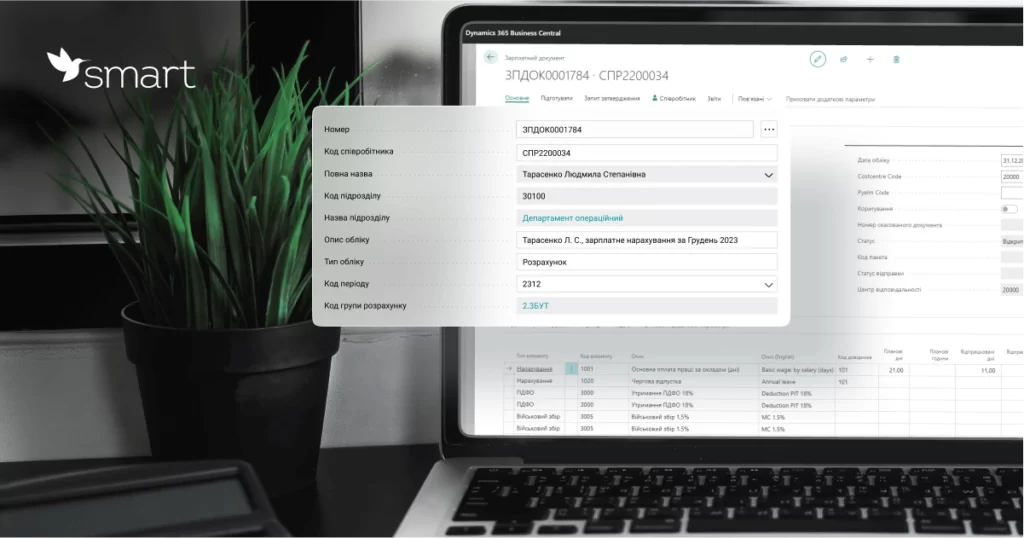
SMART Payroll is a solution based on Microsoft Dynamics 365 Business Central for HR and Payroll management in accordance with the current labor standards of Ukraine, fully adapted to the local requirements of tax legislation.
The program has many features that allow you to automate routine tasks such as payroll, vacation management and tax payment.
The main features of SMART Payroll include the following:
- Payroll for different types of wages and the ability to create your own calculation algorithms
- Automatic calculation of taxes and other mandatory contributions
- Management of vacations, sick leave and other types of absences
- Generating reports and applications to the tax service and other government agencies
- Possibility of integration with other accounting systems, such as an accounting program or a personnel management system
SMART Payroll allows companies to focus on more important tasks instead of wasting time and resources manually calculating payroll and vacations.
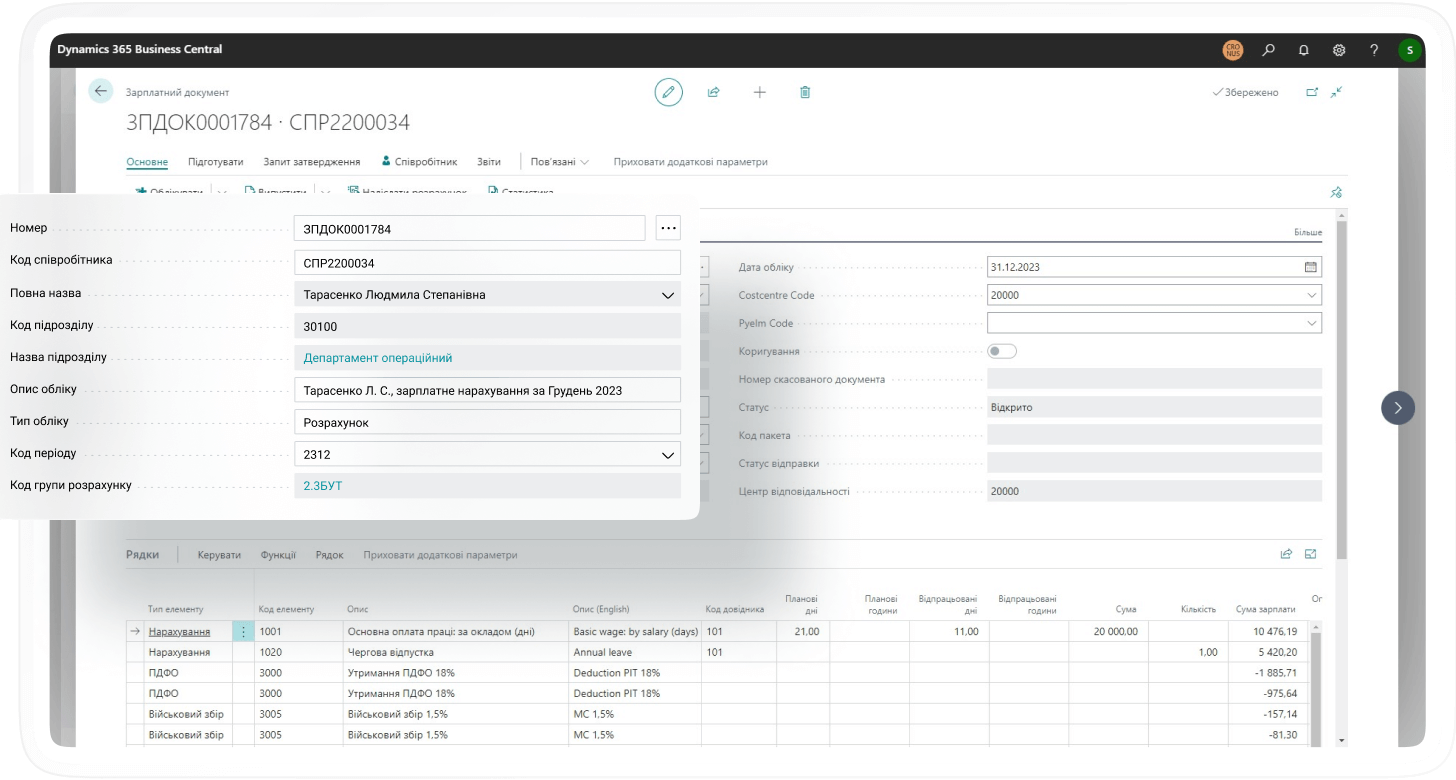
SMART Payroll features
The solution makes it possible to quickly and easily calculate final payments and any inter-period payments. And if your payroll transactions have a certain specificity, then SMART Payroll can be customized to your processes. Let’s take a look at some of such cases.
For example, your company deals with logistics transportation, and the salary of your drivers is not stable and depends on many factors: the duration of the route, the type of cargo, allowances, the urgency of the trip, etc. SMART Payroll allows you to create formulas that take all these variables into account when calculating payroll.

Let’s take another one. Imagine that you are an airline with very unusual payroll processes for most businesses. The SMART Payroll system allows you to make grades depending on the number of total hours that the pilot has flown, and automatically calculate his or her salary in accordance with the experience. You can also add factors such as time in the air, aircraft type or any other specific variables to the calculation formulas. In general, the flexibility of settings is one of the key advantages of the system.
The system’s extensive capabilities make it a bit more difficult to use than the competitors’ solutions. But there is no reason to worry, because the implementation of SMART Payroll includes training and provision of all guides on using the system. Moreover, we create video tutorials that help users learn the functionality quickly and easily. Each video is designed to simplify and speed up getting started with the system. Here is one of them:
SMART Payroll implementation process
SMART Payroll implementation is usually divided into several stages:
Step 1. Business need analysis
Information about the needs of the company in accounting and remuneration is collected. The stage provides for the overview of current processes, setting key requirements and agreeing on the SMART Payroll implementation details. This step also determines the need for specific system settings. If there are none, then the basic version of the system will be able to close all key requests.
Step 2. Data preparation
At this stage, it is important to ensure that all necessary data about employees, their contracts, payroll calculations, taxes and other important details are available. If the data is in electronic form, it must be imported into SMART Payroll.
Step 3. System configuration
The system is installed and configured in accordance with business requirements. This may include creating user roles, setting access rights, configuring payroll settings, and other features.
Step 4. Testing
Testing SMART Payroll to make sure it works correctly and meets business requirements. It is important to check that payroll calculations meet the requirements, that the data is displayed correctly, and that the details of the settings are right.
Step 5. Implementation and training
After successful testing, SMART Payroll is ready for implementation. It is important to prepare staff for the use of the new system and provide training on its use. This may include conducting trainings, creating training materials and providing additional consultations. At SMART buisness, we practice training customers on their own data. This makes the process clear and efficient.
Other important benefits of SMART Payroll
Considering that Ukraine’s integration into the European Union is inevitable, Ukrainian businesses should prepare for changes today. SMART Payroll is based on the Business Central ERP system from Microsoft, has a multilingual interface and allows you to keep records and prepare reports in accordance with International Financial Reporting Standards (IFRS). So if you are thinking about attracting foreign investment in the near future, it is important to choose a transparent HR system that is trustworthy for auditors.
If we talk about the local market, SMART Payroll is updated quarterly, supplemented with new functionality and adapted to changes in Ukrainian legislation, including changes in military accounting and all others. In addition, the SMART business team always listens to the feedback of its customers and embodies their ideas in the regular SMART Payroll updates.
If you’d like to book a demo, please contact us at :