Historically, ERP systems were created for production planning. Nowadays, they are used in various industries, but manufacturing companies remain their main users. Moreover, the demand for these solutions continues to grow which is caused by their recognized effectiveness. Let’s try to understand how an ERP system for manufacturing functions and how production processes are optimized.
What is an ERP system and what is its key value?
An ERP system is a set of interconnected modules, each of which is responsible for a specific area of business such as finance, accounting, sales, production, warehouse and inventory management, marketing, etc. Moreover, companies can expand the functionality of the solution, flexibly adjusting it to their needs. For example, the number of extensions that can be added to the Microsoft Dynamics 365 Business Central ERP system is measured in tens of thousands.
The main value of an ERP system for manufacturing is that it allows you to combine all the main processes of an organization on one platform, thanks to the interconnectedness of the modules. Typically, before implementing this solution, companies use disparate tools, databases, accounting and reporting systems, and numerous spreadsheets for individual business processes. A lot of effort is spent on coordinating the work of departments and compiling reports, but the processes still get “stuck”.
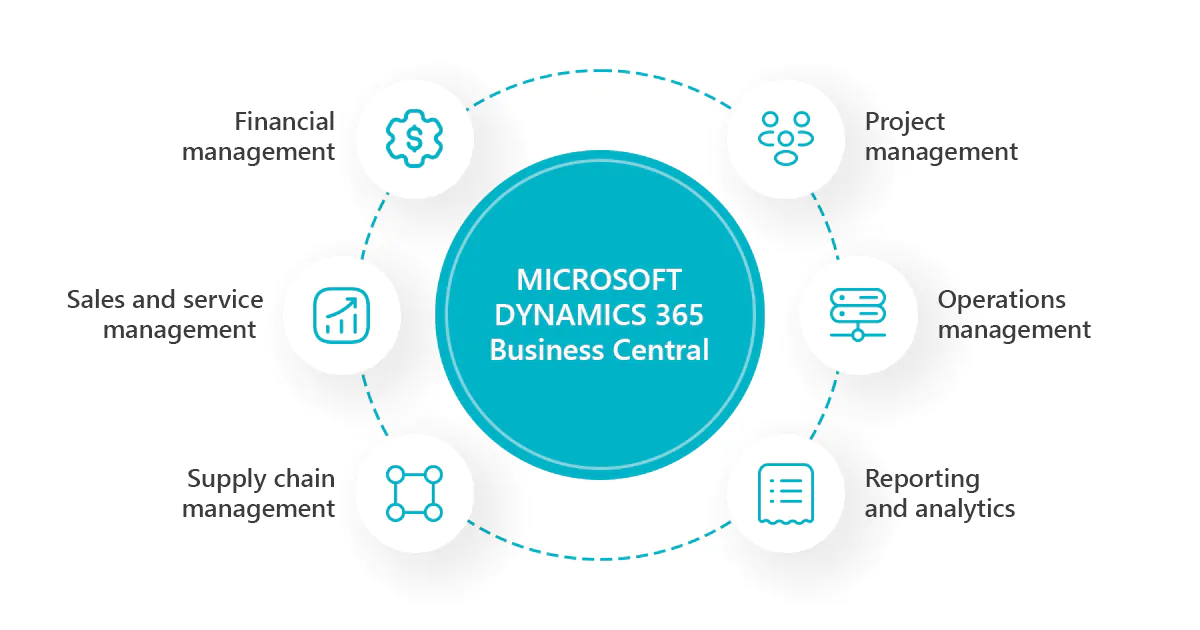
With an ERP system, different parts of the business start working as a single unit. Data from the sales department instantly affects production volumes, and inventory levels affect purchases. And all this is immediately reflected in financial and accounting reports.
This synchronization is achieved due to the fact that:
- all company divisions use a single, unified database;
- many processes are automated, subject to a single logic of the company’s operation.
The system “controls” the accuracy of business processes and prevents wrong actions in real time. As a result, ERP minimizes any inconsistency and its consequences, such as production downtime, excess inventory, shortages of goods, untimely shipments, and chaos in contracts and reports.
Let’s take a closer look at the benefits of using an ERP solution for manufacturing using the example of Microsoft Dynamics 365 Business Central and related tools.
ERP for manufacturing: Optimizing the supply chain
For manufacturing, those modules of Business Central that are related to all links in the supply chain, such as the purchase of raw materials, inventory and warehouse management, production planning, sales, shipping, etc., are of primary importance. It is important that it is a system of interconnected modules that covers all elements of the chain and allows you to coordinate them with each other and effectively plan their coordinated work.

The starting point for production planning is demand. To begin with, it is necessary to forecast sales volumes for a certain period in order to start manufacturing the corresponding volumes of products. This is a rather complicated task that can be handled by an entire analytical department.
Fortunately, there are now tools, such as Smart Demand Forecast, that use artificial intelligence and are able to make accurate demand forecasts even in conditions of high uncertainty. By the way, this tool does not require additional integration with the Business Central system, from which it can take the bulk of the data for forecasts (sales, nomenclature, etc.), because it belongs to the same product ecosystem.
After the forecast is added to the system, it plans production capacities and their utilization, which will take into account, in addition to demand:
- the level of finished goods in warehouses;
- production orders that have already been launched.
If it turns out that the forecasted demand cannot be satisfied by the available inventory and already planned production orders, then Business Central will suggest creating additional production orders.
Another type of demand is a direct order for a certain batch of products from a customer. In this case, the system will determine the optimal point for starting production of this batch in order to ship it to the counterparty on time.
In addition, Microsoft Dynamics 365 Business Central “keeps under control” all levels of the production specification of goods and checks whether the stock of components is sufficient for the manufacture of products. When this stock reaches a configured threshold, such as a critical minimum, the system automatically creates orders for the manufacture of semi-finished products or for the transportation or purchase of raw materials.
Process automation not only increases efficiency and minimizes disruptions but also eliminates a lot of manual work. For example, to place a purchase order for raw materials from a supplier, you don’t need to write a letter or send paper documents. It is enough to run the corresponding process in the system, which will generate the purchase document itself.
Further, to optimize the document flow process, you can connect to the SMART EDI tool, which is an extension for Business Central. With this solution, electronic documents will be exchanged with counterparties automatically, with little or no employee involvement and minimal risk of information loss. So, after the document is generated, the system will send it to the supplier.
After the purchase of raw materials or components, payment documents are entered into the system, otherwise it will be impossible to write off materials for the manufacture of finished products. In general, the system excludes actions that contradict the logic inherent in it, such as shipping from the wrong warehouse or writing off the wrong components, etc. In other words, the ERP solution for manufacturing makes all enterprise processes interdependent and clearly coordinated, removing any distortions and misunderstandings between the links in the supply chain.
Deep analytics for evidence-based business decisions
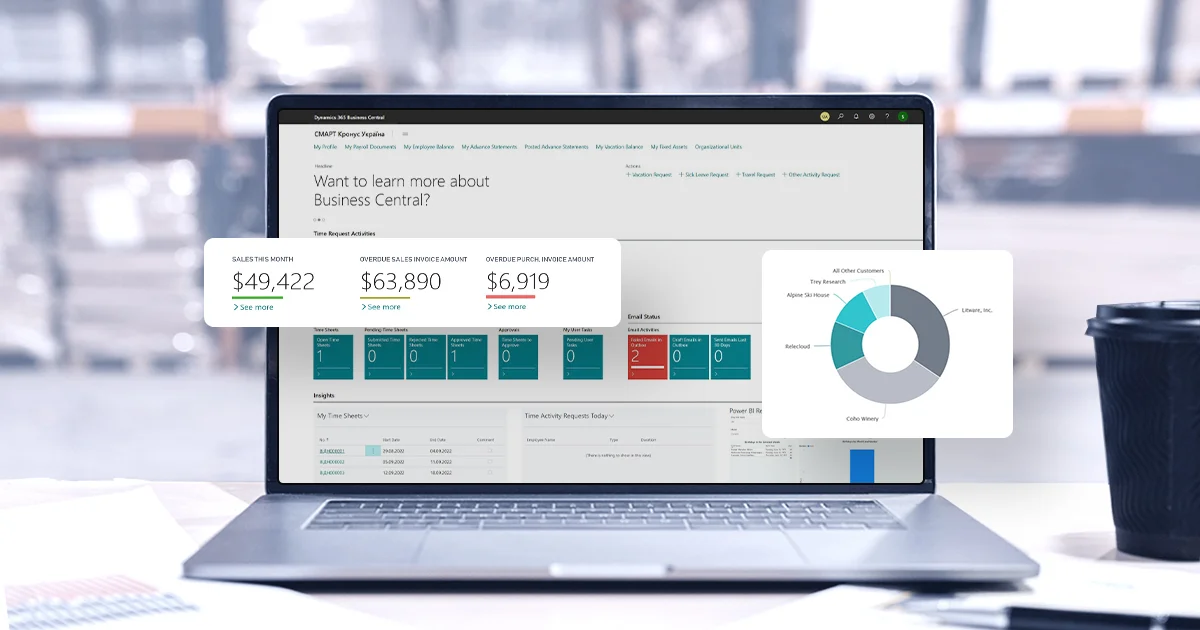
Business Central has user-friendly tools that allow you to easily generate more than a hundred types of reports, including consolidated financial statements for all expenses and income of the organization. Since the system controls correct and consistent data entry, such reports are a reliable source of reliable information about all parts of the business.
However, to study this data, draw conclusions, and make decisions based on it, you again need a whole team of analysts. Alternatively, you can use Microsoft Power BI, a tool that can compare data from various ERP reports or any external sources and visualize them in the form of dashboards. Thus, the user receives not an array of numbers but diagrams that clearly demonstrate various kinds of interdependencies and cause-and-effect relationships. By the way, since this tool also belongs to the Microsoft ecosystem, you don’t have to spend time and money on integrating it with Business Central.
With the help of Power BI dashboards, you can explore all kinds of correlations. For example, how the price of a product affects its sales. You can also analyze the plan-fact of production: compare the planned consumption of time, raw materials, or any other resources with the actual consumption. Or compare the planned cost of products or components with the actual cost. You can study the dynamics of the cost: how they changed depending on suppliers, materials, the use of certain equipment, etc.
Another interesting object of analysis is the various expenses that can be analyzed by region, department, and nature of occurrence. By studying their structure, it is possible to identify which expenses were involved and how they affected the cost, sales, and quality. This way, you can understand which of them can be reduced without any negative consequences.
Rational organization of production
An ERP solution integrates all key processes in manufacturing enterprises into a well-coordinated automated system, bringing them to a fundamentally new level of efficiency. This allows companies to optimize costs, enhance interaction between departments, and get rid of any “weak links” throughout the entire supply chain, from purchasing raw materials to shipping finished products. And adding analytical tools will help you accurately forecast demand and make the right decisions to improve production processes.
If you want to learn more about how an ERP solution can help improve your business, request a consultation.