
In corporate IT architectures, file exchange remains one of the most critical business processes. Depending on the company’s setup, this often relies on FTP/SFTP servers as well as on-premises file systems deployed within internal infrastructure. These approaches are typical for organizations handling large volumes of transactional, operational, or regulatory data — including banks, government institutions, and large enterprises.
Until recently, Microsoft Dynamics 365 Business Central lacked native mechanisms for secure and standardized work with either FTP/SFTP servers or on-premises file storage. As a result, companies often had to develop complex custom integrations, which could increase the risk of failures, complicate technical support, and limit system scalability.
To address this challenge, SMART business developed the External File Storage product line, which extends Business Central and provides unified and secure access to company file resources:
- SMART External File Storage — FTP Connector: for working with FTP/SFTP servers and automating file exchange with third-party systems,
- SMART External File Storage — On-Premises Connector: for securely connecting Business Central to on-premises file systems.
Key value of SMART External File Storage — FTP Connector and On-Premises Connector: What tasks the solutions solve
SMART External File Storage — FTP Connector is designed for companies operating in complex integration landscapes. This tool is particularly useful for specialists responsible for architecture and integration development in Dynamics 365 Business Central, such as:
- Developers: the solution automates the creation and maintenance of protocols, accelerates development, and helps save technical resources.
- Systems Architects: it provides a unified approach to managing file storage and simplifies integration design within IT environments.
- Consultants: it enables faster integration deployment without the risks associated with custom tools.
SMART External File Storage — On-Premises Connector is intended for companies that store critical files on-premises and require secure integration of local file systems with Microsoft Dynamics 365 Business Central. It benefits specialists responsible for architecture and integration development, including:
- Developers: the solution unifies integration development through the standard File Account API, compatible with all types of file storage. Moving files from on-premises to SharePoint or vice versa does not require rewriting code, significantly reducing development time and technical costs.
- Systems Architects: it provides controlled and secure Business Central access to local file systems via a protected WebAPI service deployed on-premises. This simplifies the design of hybrid architectures and allows system scaling without compromising security requirements.
- Consultants: the On-Premises Connector enables standardized and rapid deployment of file integrations, minimizing risks associated with custom solutions and atypical data access scenarios.
Key features of SMART External File Storage — FTP Connector
Integration with the FTP Connector provides companies with the following operational benefits:
- Full integration with standard Business Central architecture
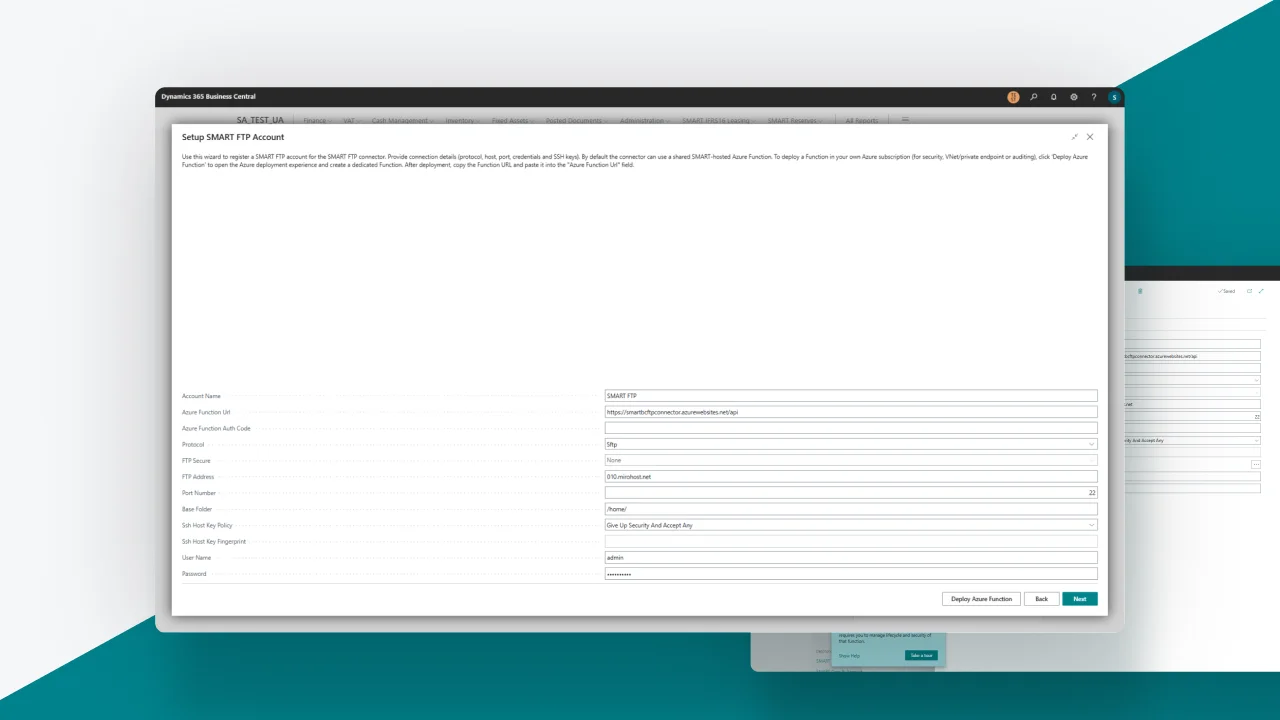
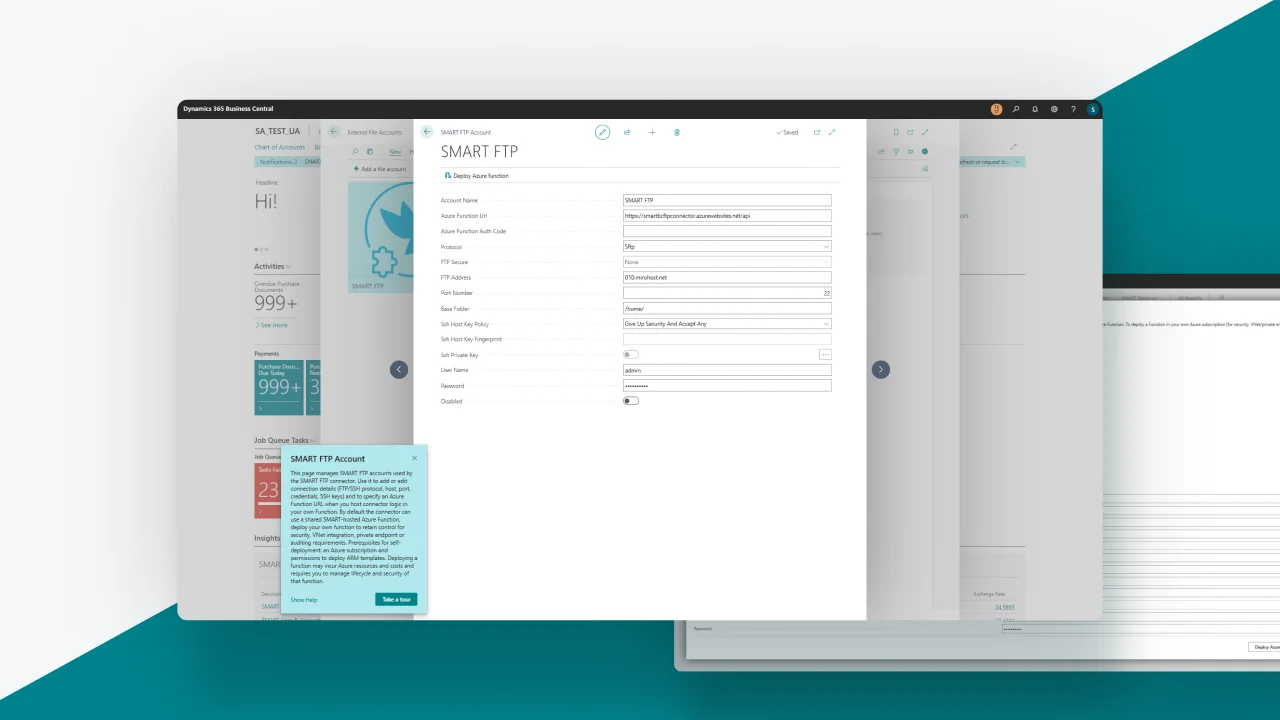
The connector extends the native capabilities of Business Central File Accounts by adding FTP protocol support while maintaining platform compatibility. - Support for a wide range of protocols
With the connector, companies are not limited to a single technology stack. The solution supports FTP, SCP, FTPS, WebDAV, and S3 protocols — enabling work with various types of corporate and external storage. - Single API for all File Account types
Developers can use the standard File Account API, which unifies operations across different storage types and allows switching between them (FTP → SharePoint → S3) without rewriting integration code. - Flexible authentication options
The connector ensures a high level of data security through support for passwords and SSH private keys for safe access to file servers. - Capability to operate in isolated corporate networks
For companies using VNets or requiring private network isolation, connection through custom Azure Functions is available. - Standard file and folder operations
Reading, writing, deleting files, creating and managing folders — all provided through a single, standardized interface.
Example setup of SMART External File Storage — FTP Connector:
Features of SMART External File Storage — On-Premises Connector
The connector integrates with Microsoft Dynamics 365 Business Central without requiring any infrastructure redesign and offers the following benefits:
- Secure access to on-premises file systems
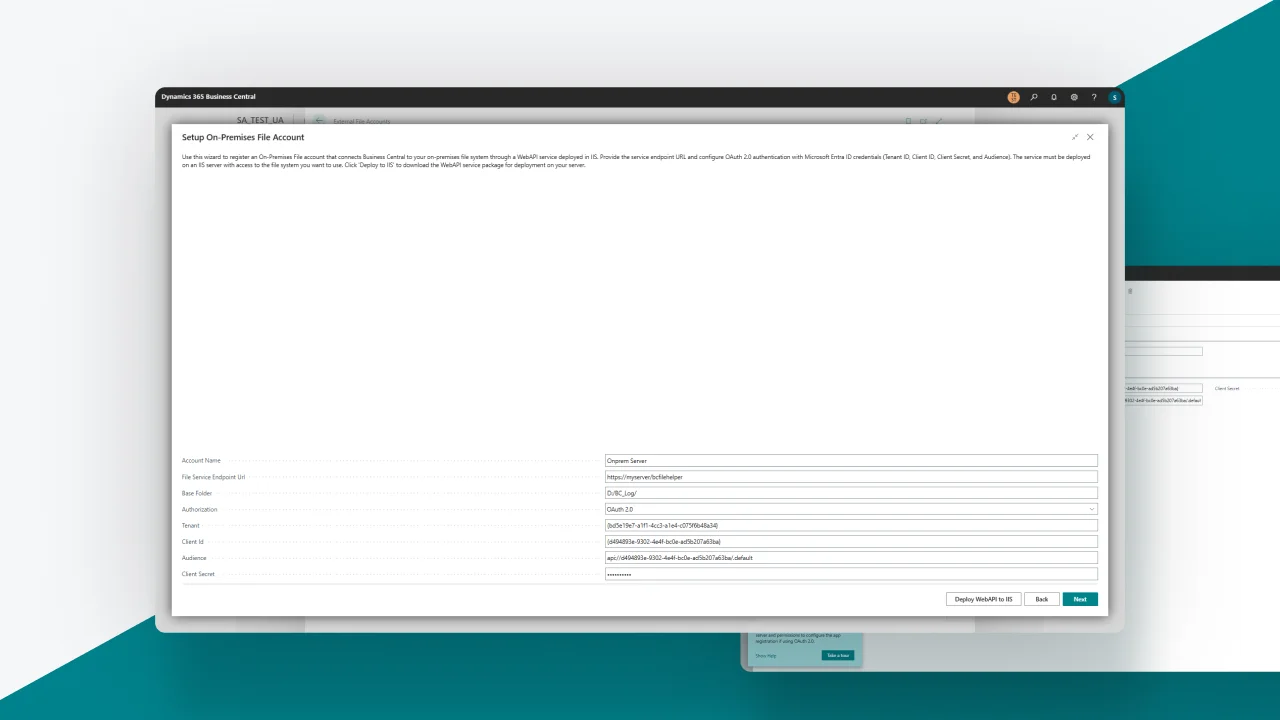
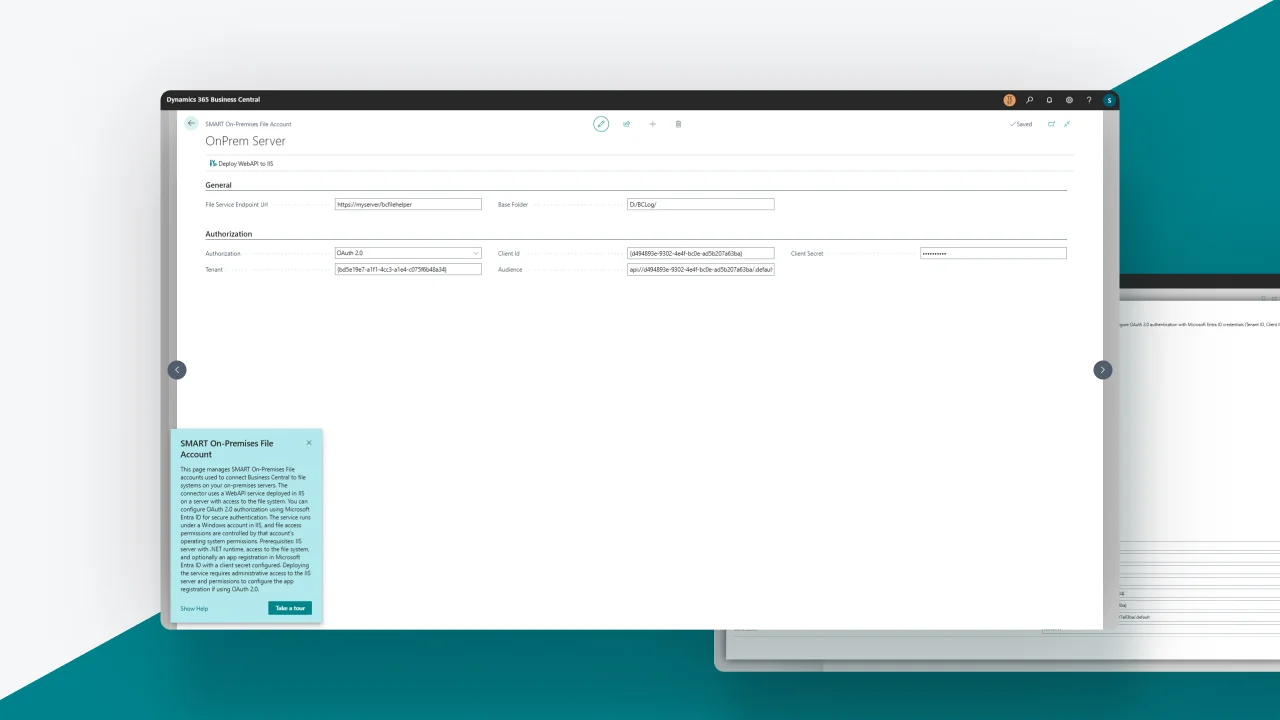
Corporate data remains fully under the company’s control on its own servers, providing an additional layer of security and compliance with data storage requirements. With OAuth 2.0 authentication and IIS infrastructure, file storage and access occur over a secure channel.
- Easy change of storage location
Developers can use the standard File Account API for all types of file storage, ensuring a unified approach when working with different infrastructures. If you need to change the storage location — for example, moving files from an on-premises system to SharePoint or the cloud (S3) — this can be done without rewriting integration code, saving time and resources for maintenance.
- Integration without process redesign
The connector allows organizations to use existing file systems without making major changes to infrastructure or processes. Deploying the connector on existing IIS servers enables seamless integration of Business Central with corporate file resources without additional costs for architectural changes.
Example of SMART External File Storage Setup — On-Premises Connector:
SMART External File Storage — On-Premises Connector and FTP Connector: solutions that simplify corporate file management
With SMART External File Storage connectors, companies gain a predictable and transparent standard for working with all types of storage. This improves process stability, makes onboarding new technical specialists easier, simplifies audits, and more. The solutions help eliminate technical debt, reduce reliance on custom integrations, and free up development teams. Ultimately, businesses get stable processes that scale without unnecessary time or resource costs.
If your company uses Dynamics 365 Business Central and the FTP protocol for file exchange — or stores files on-premises and wants to ensure additional protection for corporate data — SMART External File Storage connectors will help unify and automate your workflows.
- SMART External File Storage — FTP Connector is already available on AppSource: Browse Apps | Microsoft Marketplace
- SMART External File Storage — On-Premises Connector is already available on AppSource: Browse Apps | Microsoft Marketplace
Have additional questions? Request a consultation with our experts: